
Uber Eats has rapidly changed the way people experience food delivery. For those considering either delivering or ordering, it’s worth learning how to get the most out of the service.
This guide explores practical steps tailored for anyone interested in using Uber Eats. Whether working as a courier or simply hungry after a long day, there are ways to make the process smoother, faster, and even more profitable.


Efficiency can make all the difference for both customers and couriers.
How Uber Eats Works for Customers
Finding Restaurants
Opening the Uber Eats app allows users to quickly browse local restaurants. Entering a delivery address refines the options to those nearby.
Searching by cuisine or favorite dish often reveals hidden gems in surprising neighborhoods.
Some users rely on ratings and delivery time estimates to pick the best spot. Cities like New York and Los Angeles offer hundreds of choices within minutes of most addresses.
Placing an Order
The ordering flow is intuitive: select dishes, customize options, then confirm. Real-time price breakdowns help avoid surprises.
Adding special instructions can clarify dietary preferences or delivery details. Occasionally, a polite note like “ring doorbell softly” helps avoid misunderstandings.
Restaurants update menu items based on availability, so options change throughout the day.
Tracking Deliveries
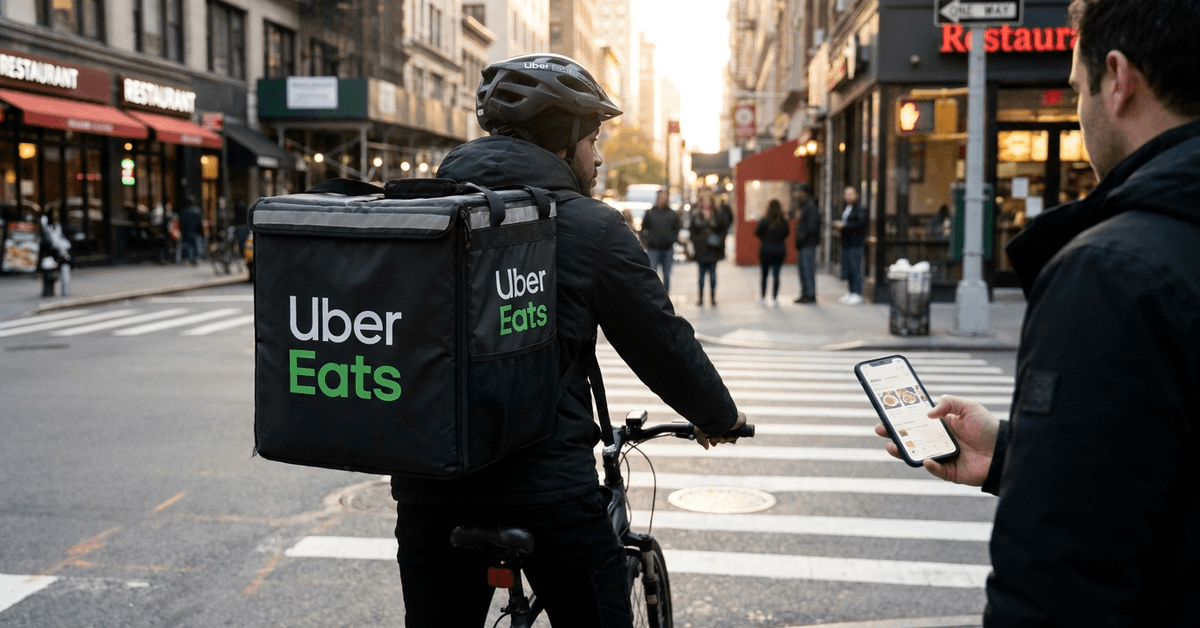
After placing an order, the app shows live updates. Estimated delivery times adjust if traffic or restaurant delays occur.
In-app maps let users watch couriers progress toward their location. Some users check the courier’s profile for peace of mind.
Receiving a notification just before arrival ensures no food gets left outside unnoticed.
How to Start Delivering with Uber Eats
Signing Up as a Courier
Becoming an Uber Eats courier starts with an online application. Required documents include a valid driver’s license and proof of vehicle insurance.
Verification checks can take a few days. Large cities like Chicago or Houston process many new applications each week.
A smartphone with the latest Uber Driver app is essential for managing deliveries.
The Uber Driver app is the main platform where shifts and earnings are tracked.
Delivering by Car, Bicycle, or Scooter
Uber Eats allows delivery using various transportation types: cars, scooters, and bikes. Each method suits different city layouts and preferences.
Bicycles are often best in densely populated areas like downtown San Francisco or Amsterdam. Cars may suit suburban settings in places such as Dallas.
Checking local regulations for each vehicle type ensures compliance and avoids fines or delays.
Couriers’ Earnings Structure
Couriers earn per delivery, with rates based on distance and time. Incentives like peak-hour boosts or quest bonuses can help increase pay.
Earnings fluctuate with order demand. Weekday lunches in busy districts may offer more opportunities than slow evenings.
Tracking income in the app gives real-time financial clarity.
Maximizing the Uber Eats Experience: Tips for Deliverers
Planning an Efficient Route
Reviewing traffic patterns before logging in often saves time. Apps like Google Maps can highlight lane closures or areas to avoid.
Bundling deliveries, if permitted, is efficient in high-density neighborhoods. This means picking up several orders from one restaurant for nearby customers.
Delivering during lunch and dinner rushes often brings higher order volumes and better incentives.
Essential Tools for Couriers
- Insulated food bag : Keeps meals at the right temperature during transit.
- Phone mount: Ensures safe, hands-free navigation.
- Portable phone charger: Prevents running out of battery mid-shift.
A weather-resistant jacket and comfortable shoes also make long shifts more manageable, particularly in unpredictable climates like London or Seattle.
Communication Best Practices
Sending quick, polite updates can pre-empt issues. For example, letting a customer know about a restaurant delay keeps expectations realistic.
Politeness, even if just through basic message templates, is often appreciated.
Making the Most of Ordering on Uber Eats
Exploring Promotions and Discounts
Uber Eats regularly features deals, such as free delivery for first-time users. Scanning the app’s offers section uncovers limited-time coupons.
Referring friends or family can yield referral credits on future orders. These promotions are sometimes more common in competitive areas.
The Offers tab often rotates weekly in major cities.
Choosing the Best Delivery Times
Deliveries typically arrive faster outside peak hours. Ordering slightly before or after typical lunch and dinner times can reduce waits.
Weekend evenings sometimes mean longer ETA windows, especially in urban centers.
Handling Issues or Order Errors
If food arrives cold or items are missing, the in-app support chat resolves most problems efficiently.
Taking a photo of the issue speeds up processing. Refunds or replacements are usually offered promptly.
Checking for accuracy at the door before the courier leaves can help prevent later inconvenience.
Safety Considerations and Best Practices
Personal Safety for Couriers
Delivering with Uber Eats is generally safe, but some basic steps help avoid risks. Delivering in well-lit neighborhoods and sticking to familiar zones is wise, especially for nighttime shifts.
For those on bikes, wearing high-visibility gear and following local road rules reduces incidents.
Food Safety for Customers
Customers can confirm their order was sealed at the restaurant. If a bag arrives tampered with, reporting it to Uber Eats ensures swift action.
Opting for contactless delivery is a good option for added peace of mind, especially during outbreaks or flu season.
Checking ratings for both restaurants and couriers may highlight potential service issues before confirming an order.
Comparing Uber Eats to Other Food Delivery Apps
Major Alternatives in the Market
Apps like DoorDash, Grubhub, and Postmates compete in many regions with Uber Eats. Each platform has unique strengths and local coverage.
DoorDash is widely used in cities like San Diego and Miami. Grubhub has a loyal following in the Midwest.
Some users test multiple apps to consistently find the best deals or fastest service.
App Interface and User Experience
The Uber Eats app stands out for its easy mapping and tracking. Other apps may offer more payment choices or rewards systems.
Checking reviews and app store ratings helps users pick the right fit for their habits and locations.
Essential Legal and Tax Considerations
For Uber Eats Couriers
Certain regions require food delivery couriers to register as independent contractors for tax purposes. Keeping receipts and tracking mileage simplifies filing during tax season.
Using an expense-tracking app can save time when annual reports are due.
Uber Eats provides tax information directly in the app under Tax Documents .
For Uber Eats Customers
Customers’ transactions are straightforward, though it may help to review receipts to understand fees.
Checking local policies ensures eligible expenses can be classified if food is ordered for business use.
Some business meal expenses may count for tax deductions in select cases, though professional advice is wise here.
Popular Cities Where Uber Eats Is Thriving
Uber Eats has a major presence in metropolitan centers around the globe: New York, London, Toronto, Paris, Sydney, Singapore, and more.
Some smaller cities adopt Uber Eats later, but local adoption can be quick once it arrives. User experience varies with urban layout and local cuisine culture.
As offerings expand, regional dishes often become new menu favorites statewide or nationwide.
Visual Suggestions
- Table comparing Uber Eats to DoorDash and Grubhub (delivery fees, service areas, unique features).
- Step-by-step infographic: “How to Place an Order on Uber Eats” with numbered visuals.
- Map showing top 10 Uber Eats cities by order volume worldwide.
- Tip box: “Top 3 Tools for Couriers.”
Conclusion
Navigating Uber Eats, whether as a customer or courier, can be simple with the right strategies. Paying attention to app features, timing, and best practices reduces hassle and increases satisfaction.
In busy cities or quiet suburbs alike, adapting to local demand and using available tools makes the process more rewarding. Above all, prioritizing safety, communication, and efficiency ensures a positive experience with every meal delivered or received.
Being informed is the most reliable way to benefit from what Uber Eats has to offer, both today and as the platform continues to evolve.